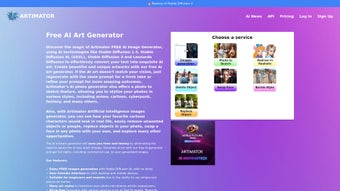

Download Artimator – Free AI Art Generator, Text‑to‑Image, Photo Editing, Commercial‑Ready
Overview
Artimator is a cutting‑edge AI art generator that lets anyone turn a simple text prompt into a high‑resolution, commercially usable image. Powered by the latest Stable Diffusion models—including SD 1.5, SD XL, SD 3—and Leonardo Diffusion, the platform delivers striking visual results in seconds. What sets Artimator apart from the crowded AI‑image market is its blend of powerful features (text‑to‑image, photo‑to‑sketch, object removal, face‑swap) and a privacy‑first approach that lets users hide their creations from public galleries and search‑engine indexing. The service is free at the entry level, with optional subscription plans for premium styles, higher‑resolution downloads, and priority processing. Whether you’re a graphic designer looking for quick concept art, a marketer needing royalty‑free visuals, or a hobbyist eager to experiment with AI, Artimator offers a user‑friendly web interface that works on any modern browser.
Beyond the core generation engine, Artimator also supports multiple payment options—including credit cards, PayPal, and major cryptocurrencies—for those who want to purchase extra credits or unlock advanced tools. While the platform currently runs only online (no offline client), its cloud‑based infrastructure ensures fast rendering and automatic updates, meaning users always benefit from the newest AI models without manual upgrades. Artimator’s “full rights for commercial use” policy removes the typical licensing headaches, allowing creators to monetize their AI‑generated artwork without fear of hidden royalties.
The platform places a strong emphasis on security and data protection. All communications are encrypted with TLS 1.3, and user accounts are protected by optional two‑factor authentication (2FA). Images stored in a private gallery are isolated from other users, and the system complies with GDPR and CCPA guidelines, giving European and Californian users confidence that their personal data is handled responsibly. Regular performance audits guarantee that the rendering pipeline remains efficient, even during peak traffic, while a dedicated support team monitors uptime and resolves incidents within minutes.
From a business perspective, Artimator’s subscription model is transparent: the free tier provides a generous monthly credit allowance, while paid plans unlock unlimited credits, exclusive style packs, and batch‑processing capabilities for teams. The subscription can be cancelled at any time without penalties, and users retain the commercial rights to any image they have already generated. This flexibility makes Artimator an attractive option for freelancers, agencies, and enterprises alike.
Core Features & Tools
- Text‑to‑Image Generation: Input a descriptive prompt and let Stable Diffusion create a unique image in seconds.
- Photo‑to‑Sketch Converter: Transform any photo into a hand‑drawn style sketch for illustration projects.
- Object Removal: Select unwanted elements in a photo and erase them cleanly using AI inpainting.
- Face Swap: Replace faces in images while preserving lighting and perspective for realistic results.
- Multiple Model Support: Choose between SD 1.5, SD XL, SD 3, or Leonardo Diffusion based on desired style and detail.
- High‑Resolution Downloads: Export images up to 4K resolution with no watermark for commercial use.
- Privacy Controls: Hide generated images from public galleries and block Google indexing.
- Flexible Payment Options: Credit cards, PayPal, and cryptocurrencies for credit packs or subscriptions.
- Style Library: Access a curated set of free styles; premium styles available with a subscription.
Each feature is designed with both beginners and seasoned creators in mind. The text‑to‑image engine offers a “simple mode” where users only need to type a prompt, while an “advanced mode” unlocks parameters such as CFG scale, seed control, and aspect ratio tweaking. The photo‑to‑sketch and object removal tools operate through an intuitive drag‑and‑drop interface: upload a picture, draw a mask, and click “process.” The AI handles the heavy lifting, delivering results that often rival manual Photoshop work, but in a fraction of the time.
Artimator’s model selection is another differentiator. While many free generators lock users into a single model, Artimator lets you experiment with the artistic style of SD 1.5 (classic, slightly softer), the detail‑rich output of SD XL, or the cutting‑edge realism of SD 3. Leonardo Diffusion, a community‑trained variant, adds a unique flair for sci‑fi and fantasy concepts. Switching models is a single click, and the platform automatically adjusts the rendering pipeline, so you never need to reinstall or configure anything.
Beyond the headline tools, Artimator includes a batch‑processing API for power users. Developers can programmatically submit up to 50 prompts per minute, retrieve URLs for the generated assets, and integrate the service directly into content‑management workflows. The API respects the same privacy settings as the web UI, ensuring that automated pipelines do not unintentionally expose proprietary designs. Documentation is available in Swagger format, and a sandbox environment lets you test calls without spending credits.
In practice, marketers have reported a 70 % reduction in time‑to‑market for social‑media graphics, while indie game developers have used the face‑swap and object‑removal tools to prototype character concepts without hiring artists. The high‑resolution export option is particularly valuable for print media, allowing designers to generate 300 dpi assets ready for magazine spreads or large‑format posters. Overall, the feature set positions Artimator as a comprehensive visual‑creation hub rather than a single‑purpose generator.
Installation, Usage & Compatibility
Getting Started – No Download Required
Artimator is a pure‑web application, which means there is no traditional installation process. Users simply visit artimator.com, create a free account, and start generating immediately. The site runs on modern HTML5, CSS3, and JavaScript, ensuring compatibility with all major browsers. After signing up, you’ll be greeted by a dashboard that displays your credit balance, recent creations, and quick links to each tool.
Step‑by‑Step Workflow
- Create an account: Provide an email address or use a social login (Google, GitHub). Verification is done via a confirmation email.
- Choose a tool: Click “Text‑to‑Image,” “Sketch,” “Object Removal,” or “Face Swap” from the main menu.
- Enter your prompt or upload a photo: For text generation, type a clear description (e.g., “a neon‑lit cyberpunk city at dusk”). For editing tools, upload an image and paint the area you want to modify.
- Select a model and style: Pick SD XL for high detail, or a premium style pack if you have a subscription.
- Adjust settings (optional): Set aspect ratio, resolution, or advanced parameters if you’re in “expert mode.”
- Generate: Click “Create.” The AI processes the request on Artimator’s cloud servers and returns the result within 10‑30 seconds, depending on complexity.
- Download & use: Download the image as PNG or JPEG. Full commercial rights are granted automatically.
Operating System & Device Support
Artimator works on Windows, macOS, Linux, ChromeOS, Android, and iOS because it is accessed through a web browser. The responsive UI adapts to both desktop and mobile screens, allowing you to generate or edit images on a tablet while on the go. For users who prefer a desktop experience, the site supports keyboard shortcuts (e.g., Ctrl + Enter to generate) and drag‑and‑drop file uploads.
Because all heavy computation happens in the cloud, there are virtually no hardware requirements on the client side. Even low‑end devices can produce high‑resolution artwork, though a stable internet connection (minimum 5 Mbps) is recommended for optimal speed. Artimator also implements SSL encryption to protect data in transit, and images can be stored in a private gallery that is not indexed by search engines, enhancing confidentiality for sensitive projects.
Troubleshooting & Best Practices
If you encounter slow rendering, try clearing your browser cache or switching to a wired connection. For users behind corporate firewalls, ensure that ports 443 and 80 are open, as the service relies on standard HTTPS traffic. Artimator offers a built‑in “Report a Problem” button that automatically attaches log data (excluding personal content) to help the support team diagnose issues quickly.
To get the most out of the advanced mode, experiment with the “seed” parameter: using the same seed across different prompts can produce stylistic consistency, which is useful for series‑based projects. Additionally, the “Guidance Scale” (CFG) controls how closely the output follows your prompt; higher values yield more literal results, while lower values encourage creative interpretation. These knobs are documented in the help center, and you can preview the impact of each change in real time before committing credits.
Conclusion & Call to Action
Artimator has quickly positioned itself as one of the most versatile and user‑friendly AI art generators on the market. Its blend of powerful models, a broad toolbox (text‑to‑image, sketch, object removal, face swap), and a privacy‑first philosophy make it suitable for a wide audience—from marketers seeking royalty‑free visuals to indie game developers needing concept art on a budget. While the free tier is generous, power users may find value in the subscription plans that unlock premium styles and higher‑resolution outputs. The lack of an offline client is a minor drawback, but for most creators the cloud‑based workflow offers the advantage of automatic updates and cross‑device accessibility.
Pros
- Free tier with generous credit allocation for casual users.
- Multiple state‑of‑the‑art AI models (SD 1.5, SD XL, SD 3, Leonardo Diffusion).
- All generated images come with full commercial rights.
- Privacy options to hide images from public galleries and Google.
- Versatile toolset: text‑to‑image, sketch conversion, object removal, face swap.
- Responsive web interface works on Windows, macOS, Linux, Android, and iOS.
- Multiple payment methods, including cryptocurrency.
- Batch‑processing API for developers and agencies.
- Two‑factor authentication and GDPR‑compliant data handling.
Cons
- Premium features (high‑res downloads, exclusive styles) require a subscription.
- Limited number of free styles; advanced artists may find the library restrictive.
- No offline or desktop client – reliance on internet connectivity.
- Rendering time can increase during peak usage periods.
- Advanced parameter controls are hidden in “expert mode,” which may confuse beginners.
- API usage is rate‑limited for free accounts, requiring a paid plan for heavy workloads.
FAQ
Is Artimator really free to use?
Yes. Artimator offers a free tier that includes a set number of generation credits each month and access to a basic style library. Premium models, higher resolution exports, and exclusive style packs require a paid subscription or credit purchase.
Which browsers provide the best performance?
Artimator is optimized for the latest versions of Chrome, Firefox, Safari, and Edge. Using a Chromium‑based browser typically yields the fastest rendering because the platform leverages WebGL for preview rendering.
How does the privacy mode work?
When you enable privacy mode, the image is stored in a private gallery that is isolated from public feeds. The URL generated for the image is not indexed by search engines, and it cannot be accessed without your authenticated session.
Can I use Artimator for commercial projects?
Absolutely. Every image produced by Artimator is granted full commercial rights, meaning you can sell, print, or incorporate the artwork into client deliverables without additional licensing fees.
Is there an API for automated generation?
Yes. Artimator provides a RESTful API with Swagger documentation. The API supports batch submissions, respects the same privacy flags as the web UI, and can be used to integrate image generation directly into content pipelines or custom applications.
How does Artimator ensure the security of my private images?
All data is transmitted over TLS 1.3, and stored images are kept in encrypted buckets with access controls that isolate each user’s gallery. Optional two‑factor authentication further protects account access, and the service complies with GDPR and CCPA regulations.
If you’re ready to accelerate your creative workflow, sign up for Artimator today. The free account gets you started instantly, and you can upgrade at any moment to unlock the full suite of commercial‑grade tools. Click the button below to create your account, claim your initial credit bundle, and start generating professional‑quality visuals in minutes.



.png)



